
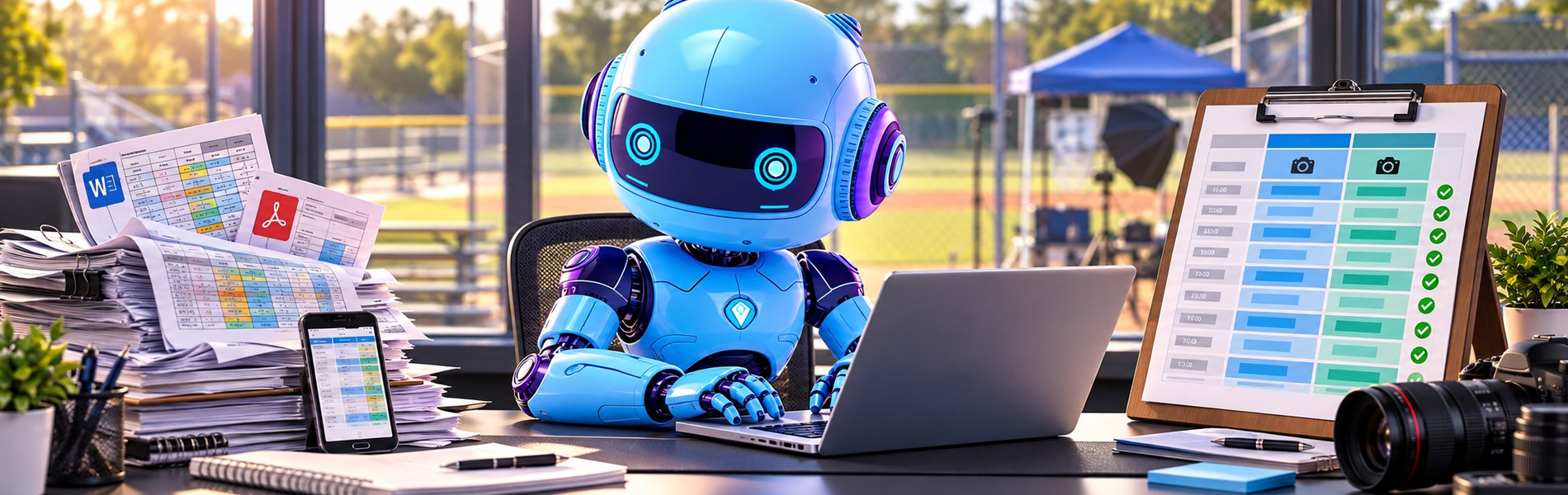
Meet Peter, the AI that fixes league schedules.
No league has ever sent me a schedule I didn't have to fix. So I stopped fixing them.
A league sent over their game schedule a couple of weeks ago.
Not in Excel. Not in columns and rows. In Word files.
And not one Word file. About ten of them. A separate file for every division: T-ball, 8U, 9U, 10U, 12U. Then softball got its own set.
Do you think they sent us the game schedule for picture day? No. They sent the schedule for the entire season, for every division.
You know what comes next. Open each file. Hunt down picture day. Copy the game times. Paste them into a spreadsheet. Do it again for the next division. Then build the picture day schedule around all of it, and pray you didn't miss a team. There's a lot of room for error.
That's donkey work. It has to get done, it eats your time, and it's the same every single time.
So we didn't do it. We handed all of those Word files to Peter, our picture day scheduler.
He nailed it.
And that wasn't a bad week. That's every week. In busy season, you might build four, five, or six of these schedules.
If you're going to stop fixing league data by hand, you need a scheduler that does it for you. Here are four jobs Peter takes off your desk.
Job #1: Clean Up the Data
Every league sends its schedule its own way.
This week it was a baseball league. Their game schedule for a makeup picture day came from an iPhone, with no attachment I could download. So I took a screenshot and gave Peter the picture.
That's the whole point. You don't reformat anything. You hand Peter whatever the league sends: Word files, a screenshot, a PDF, a full season when you only needed one Saturday. He finds the games on picture day and lines them up.
This isn't just a photographer problem. In a Smartsheet survey of about 1,000 U.S. workers, more than 40% said they spend at least a quarter of their work week on manual, repetitive tasks, with data collection and data entry among the biggest time sinks.
A quarter of your week. That's the donkey work. And cleaning up league data is about as manual and repetitive as it gets.
Job #2: Do the Math
Once the data is clean, somebody has to build the picture day schedule.
Peter asks three questions first. How many photographers are shooting individuals? How many minutes per team? And how far ahead of game time do you want each team photographed?
For this league, we ran two photographers, 15 minutes per team, 60 minutes before each game.
Why 60 minutes? If a team plays at noon, we photograph them at 11:00. They're done by 11:15, and they get back to the coach with plenty of time before the game. Coach wants warm-ups. Coach wants his pep talk. If you send his kids back five minutes before first pitch, he's not happy. That can come up at a board meeting, and you can lose a league over it.
Here's where it gets tricky. Leagues only have so many fields, so a lot of games start at the same time. With two photographers, you can't shoot every 1:00 team at noon.
Peter handles that. He backs teams up earlier so every team still gets photographed at least an hour before it plays. Those teams come in a little early. Every team gets done, and every coach is happy.

Your setup will be different. A football league with 25 or 30 kids a team might need 20 or 25 minutes per team. Change the numbers, and Peter does the math.
Job #3: Double-Check the Details
This is the job I care about most.
Before Peter builds anything, he reads the league's schedule back to you. For this job, that read-back said 19 games and 36 teams. It also caught some things I needed to get right:
- Away teams struck. Two visiting teams from another league weren't ours to photograph. Peter left them off.
- Teams without an opponent added. Two teams were playing those visitors, so they got their own photo slots.
- No doubleheaders booked twice. If a team shows up on the schedule twice, it only gets photographed once.
- My typo caught. I typed “Mills Creek.” The league's schedule said Mill Creek Park. Peter asked which one was right.
Then he caught something I hadn't told him to look for. One game started at 5:00, two hours after the others. Following my rules, that team would've been photographed at 4:00, with my whole crew sitting there doing nothing for two hours.
Peter flagged it. I told him to move that team to right after our last slot. Now our day ends at 2:30 instead of 4:15.
Why does this matter? Researchers have studied spreadsheet errors for years, and they agree those errors are both common and serious. A schedule built by hand is a spreadsheet. One team dropped or booked twice, and you hear about it on picture day.
What Stays Yours
Everything we do with AI keeps a human in the loop. Peter never sends a schedule to a league. You proof it, you approve it, and then you send it.
And when you catch something he missed, you tell him once. The skill gets updated, and he does it right from then on.
Job #4: Deliver the Picture Day Schedule
The last job is the one the coaches see.
Peter builds a branded picture day schedule with your studio's name on it. You get two versions.
The PDF goes to the league. They send it to coaches and parents, so every family knows when to show up.
The spreadsheet opens in Google Sheets and stays with you. That's for the call you know is coming: “We had to swap the 10:00 game with the noon game. Can you fix the schedule?” Sure. Make the change, export a new PDF, done.
The more you use him, the more he learns how you work. On this schedule, he asked the questions a good office manager would. Which field are we on? Who's unlocking the gate? If photos start at 7:15, we need to be there by 6:15 to set up.
The Bottom Line
Clean up the data. Do the math. Double-check the details. Deliver the schedule. Four jobs you used to do by hand, every league, every season.
Here's the receipt. Building a sports team picture day schedule by hand, and then proofing it, takes at least half an hour even when you're good at it. Every league is different, but figure Peter saves you 20 to 30 minutes per schedule. At four to six schedules a week in busy season, that's an hour and a half to three hours back, every week.
Add that to last week's hire. Scout took a round of prospecting from six to eight hours down to about twenty minutes. That's how photography workflow automation works. One system at a time, and the hours stack up.
Now here's what I really want you to hear.
Give yourself twelve months. Every automation you build this winter keeps working next fall. Peter doesn't forget what you taught him. He doesn't quit in March. He just gets better.
Most of your competition isn't doing this yet. When they finally wake up, you'll be a year of systems ahead, and they won't catch up.
Imagine walking into spring with picture day off your desk for good. The schedule builds itself while you're on the phone booking the next league, or home for dinner on a Tuesday.

Next week, we go after the data that's even worse than a league schedule: underclass databases. Schools have people in the office whose job is this, and they still can't get it right. Meet Ace, who fixes your underclass data before it ever slows down picture day.
If you found this post on social media, or someone passed it along to you, sign up for the PSU InFocus Insider newsletter so you get the next one the day it comes out.
What would you do with the hours you spend fixing league schedules every fall?
In pursuit of 2x your business,
~ Mike
P.S. If you'd like a hand getting Peter set up before your next picture day, that's exactly what we do together inside PSU Education. Come join us. I'd love to help you take this one off your desk.
Part of the Automate the Donkey Work series: one AI system a week to take back your hours.


